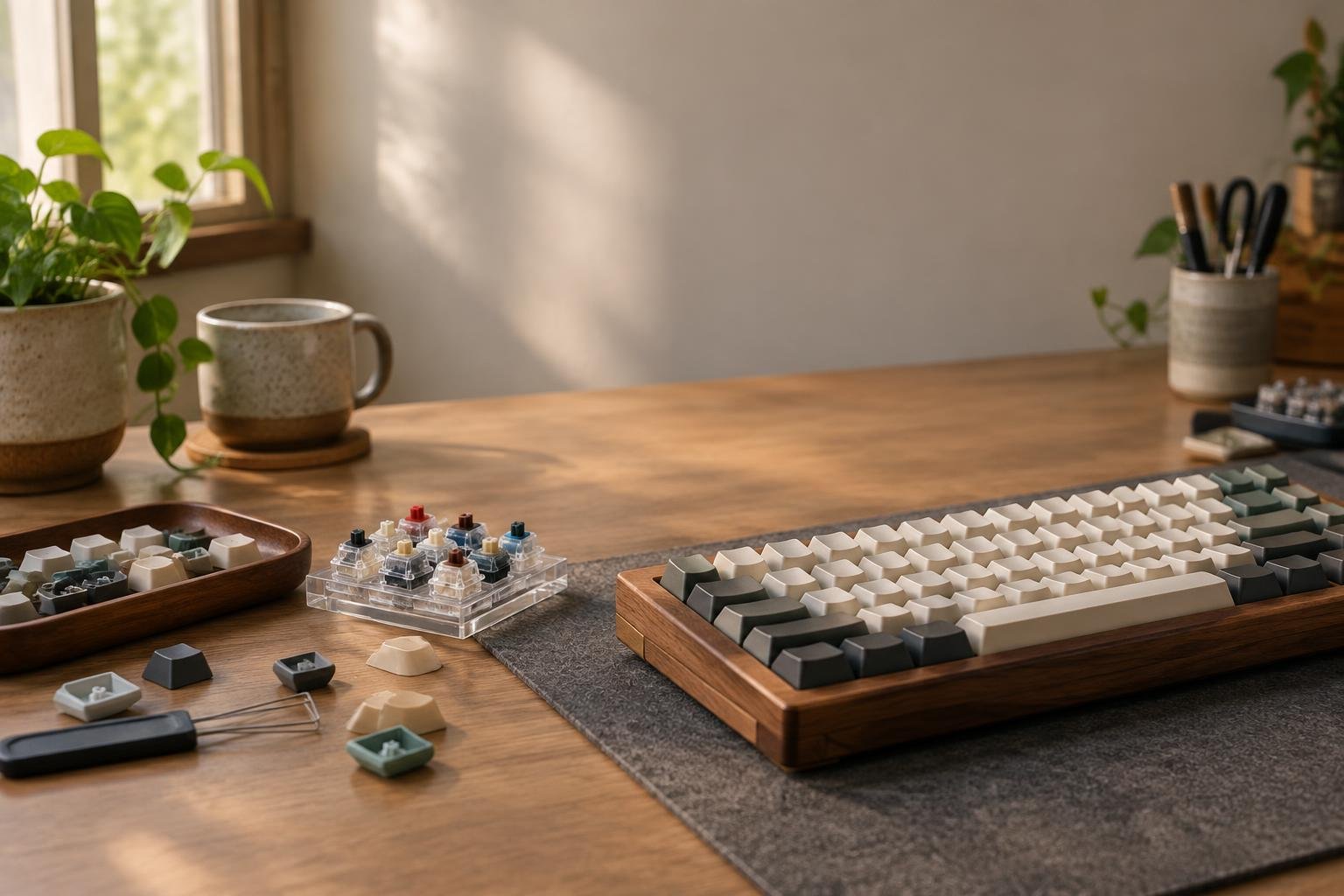
Switches decide how a keyboard feels more than any other part. The color of the stem is a shorthand for how the key behaves when you press it. Learning the main types makes shopping much easier, because the names stop being a puzzle and start telling you what to expect under your fingers.
A switch is a small mechanism under each keycap. When you press, a stem moves down inside a housing, and a spring pushes it back up. Metal contacts or a sensor register the press at a certain point in the travel. Everything you feel comes from how that stem, spring and housing are shaped and work together.
Most switch families fall into three feels: linear, tactile and clicky. The color names are a convention that many makers follow, though not every maker follows it exactly. A red from one brand can feel a little different from a red from another, so treat the color as a starting point and not a strict rule.
It also helps to know that no feel is the correct one. Switches are a matter of taste, hand strength and habit. What delights one person can annoy another after an hour. Keep that in mind as you read, and let your own fingers settle the arguments that online opinions never can, however confident they sound.
The Main Switch Types
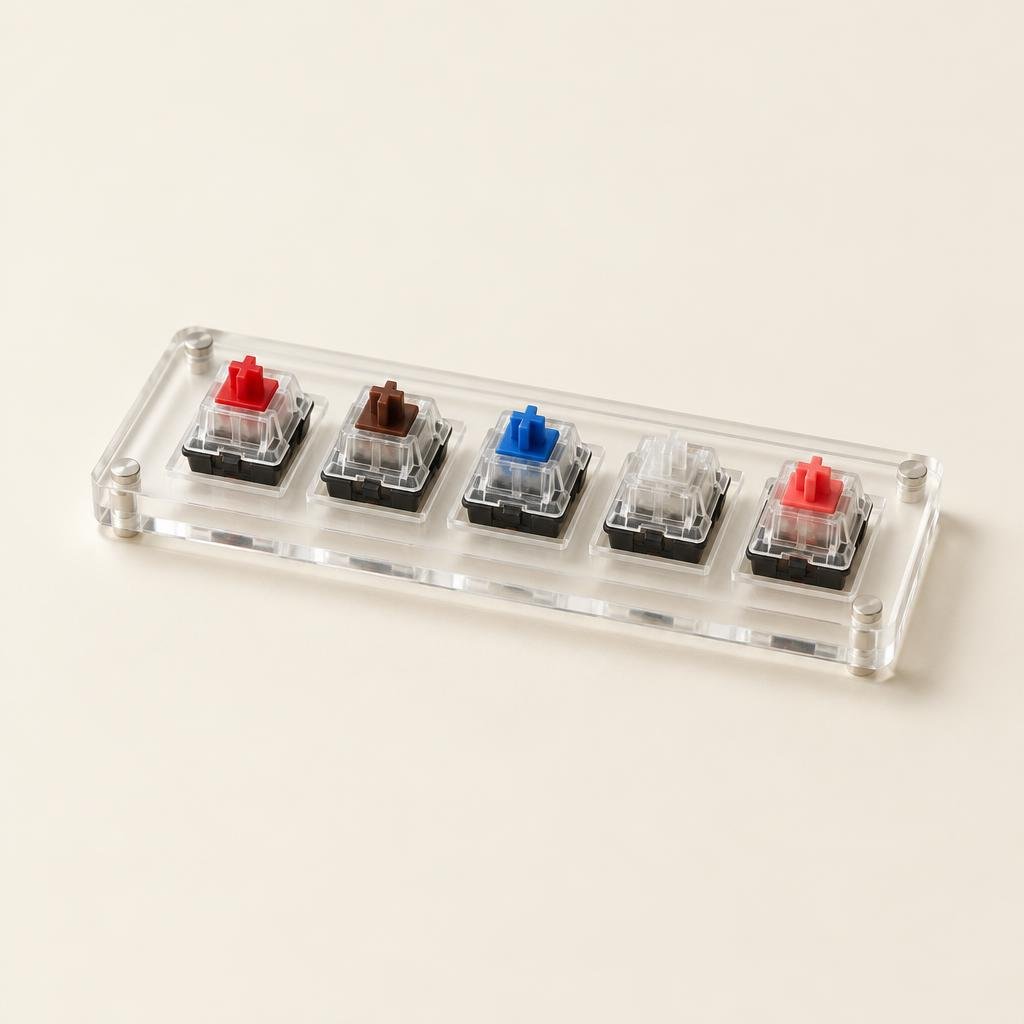
Red switches are linear. The key goes straight down with no bump and no click, which makes them smooth and quiet by comparison. Many people like them for gaming, where quick repeated presses matter. Because nothing interrupts the travel, you can tap lightly and rhythmically, though that same smoothness can lead to accidental presses if your fingers rest on the keys.
Brown switches are tactile. You feel a small bump partway down the press, which tells you the key has registered. They sit between linear and clicky, and they suit people who type for most of the day. The bump lets you ease off once it passes, so many typists find they use less effort over time.
Blue switches are clicky. They give a tactile bump and a sharp audible click, which many typists enjoy. The sound carries, so think about who shares your room before choosing them. The click comes from a small moving part inside the housing, and it adds a little resistance, so the key can feel crisper but also a bit busier.
Clear switches are also tactile, but they usually need a firmer press than browns. People who like a pronounced bump and a slower, more deliberate key often reach for them. Others find them tiring, so try before you commit. The extra spring weight can feel reassuring for heavy typists and wearying for anyone with a light touch.
Testing Before You Buy
The best way to choose is to press them. A tester board holds several switches side by side so you can compare the feel in a minute. Press each one a few dozen times, because first impressions of a single press can mislead. Your sense of a switch usually settles once the novelty wears off, and that settled feeling is the one to trust.
When you test, press the way you actually type. Use your normal rhythm, not careful single taps. Try pressing a key off center and bottoming it out hard, since real typing is rarely tidy. Switch back and forth between two favorites a few times, because comparing them directly shows differences that memory tends to blur, especially when the switches are close in feel.
Pay attention to sound as well as feel. The case, the keycaps and the desk all change how a switch sounds, so a switch can seem louder or softer on a different board. Treat the tester as a guide to feel, not a promise of sound. A hollow case adds echo, while a dense one tends to mute it.
Details That Change the Feel
Spring weight is one detail worth learning. Heavier springs need more force to press and can slow you down, while lighter ones respond to a touch and can cause stray keystrokes. Two switches of the same type can feel quite different because of this, so check the listed force if you can, and compare it against switches you already like.
Travel distance matters too. Some switches have a shorter trip from top to bottom, which suits quick actions, while longer travel gives a fuller, more deliberate press. Neither is better in general. A short trip can feel twitchy to a person used to long travel, and a long one can feel sluggish to someone used to laptop keys.
Keycaps and plates also shape the result. Thicker plastic caps tend to sound deeper, while thin ones sound sharper and higher. A metal plate gives a firmer, snappier bottom-out than a flexible one. If you plan to change parts later, remember that the switch is only one piece of the feel and the rest can be tuned.
Making the Final Call
If you are torn between two, pick the one that tires your fingers least. Typing comfort over a long day beats a feel that is exciting for ten minutes. Ask yourself which one you would still be happy with in the middle of a long afternoon, not which one gave the best first impression at the tester.
Finally, avoid the common mistakes. Do not buy a clicky switch just because it sounds satisfying in a video, and do not assume linear means silent. Do not pick by color name alone either. Think about where you type, who is nearby and how you use your hands, then let a short hands-on test confirm the choice you were already leaning toward.